Sharing in meryn is split into two separate layers that are easy to conflate: who on your team can see a project, and what, if anything, is visible to people outside your team. Nothing you do in one layer affects the other.
Inside your team: project access
Every project has an access scope, and a new one always starts Restricted. The creation dialog doesn't ask: opening a project up later is one click and reversible, while deciding who should see something that doesn't exist yet isn't a useful question. You change the scope from the project's share panel at any point.
| Scope | Who can see it |
|---|---|
| Restricted (how every project starts) | Only the creator, plus any team members explicitly added to the project, plus admins — admins always have access regardless of scope. |
| Team | Every member of your team. |
While a project is restricted, add or remove individual team members from the project's access settings at any time — this only controls visibility within your team and has nothing to do with the external sharing layer below.
Outside your team: publishing a flow
The thing you publish is a flow (an Experiment), not a model, an allocator, or the Benchmark node itself. Every model, allocator, and benchmark connected to a flow inherits that flow's visibility automatically — none of them has its own separate "public" flag. Publishing is triggered from the Benchmark node once you've set a winner: click Publish for management. That makes the flow publishable — the read-only presentation itself becomes reachable through the project's Share panel, two ways. Publishing alone doesn't hand anyone a link: you create the link, or invite the guests, from Share.
Guests
Invite specific people by email. A guest does not join your team — they get access to the project you invited them to, and nothing else: their project list shows only what was shared with them, and inside the project they see the canvas in read-only (no drag bar, no Run) with the results of published flows only. Drafts — flows you haven't published — stay invisible to them. Mutating anything, downloading raw artifacts, and seeing worker logs remain team-only.
Public link
Generate a shareable link — anyone who has it can view the published presentation without logging in. Revoke it at any time to cut off access immediately. Re-enabling sharing later reactivates the same link: the URL is stable per project, so a link you shared before revoking works again once sharing is back on. If a link must never work again, leave sharing revoked.
What a viewer sees
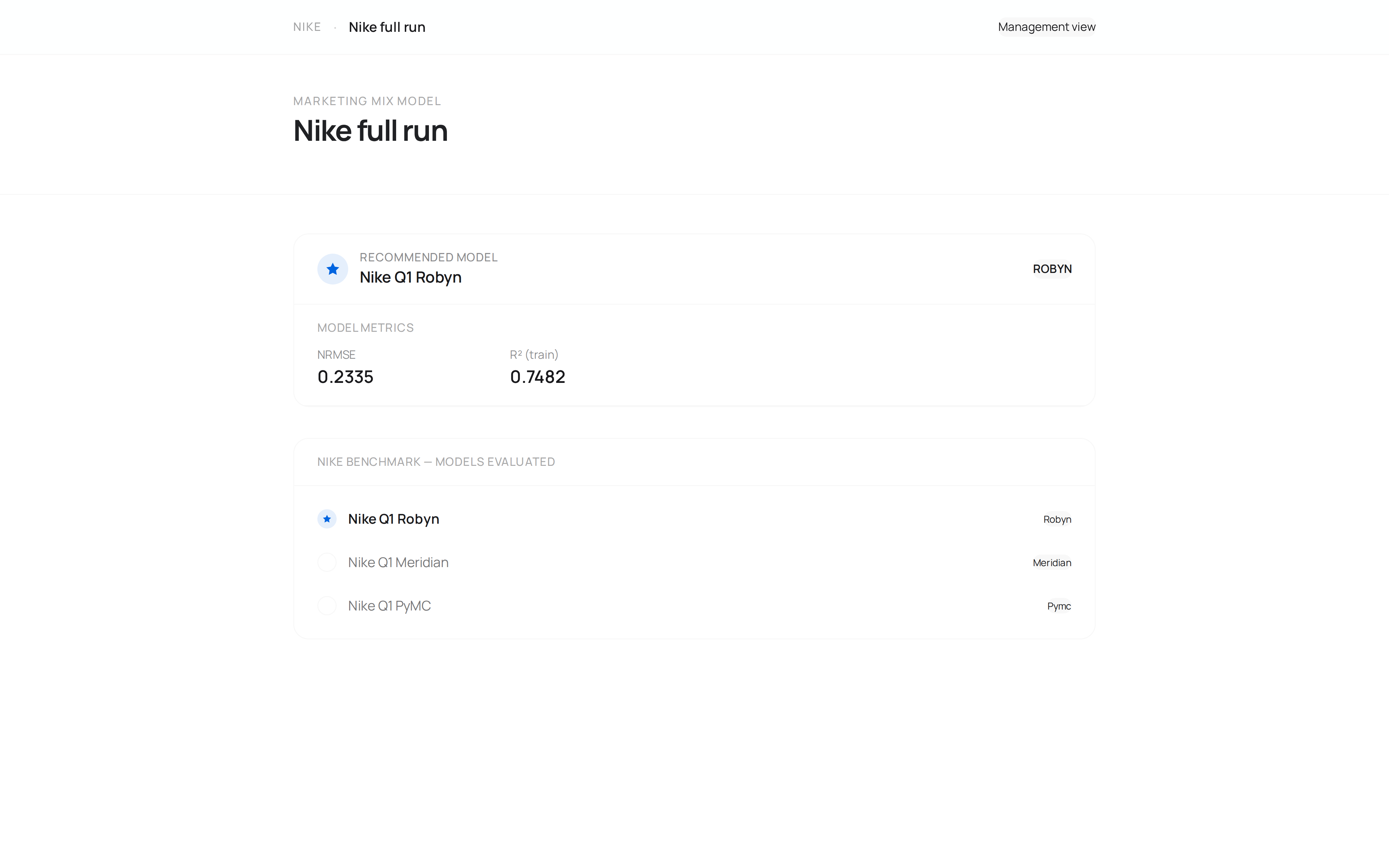
A public-link viewer sees the clean read-only presentation: the current winner's results and its allocator recommendation — never a draft, never a model that wasn't chosen as the winner, and never the canvas. A guest sees more: the read-only canvas of that project and every model inside its published flows, winner or not — invite guests when you want them reviewing the work, use the public link when you want them seeing only the answer.
Unpublishing
Clicking Publish again toggles it off. Clearing the winner on the Benchmark node also unpublishes the flow automatically — a published view always shows the current winner, so there's nothing correct left to show once there isn't one.