Period sets the exact date window a model trains on.
Connecting it
Drag a Period node off a Variables node (or connect a model directly to Variables to skip this step and use the full range).
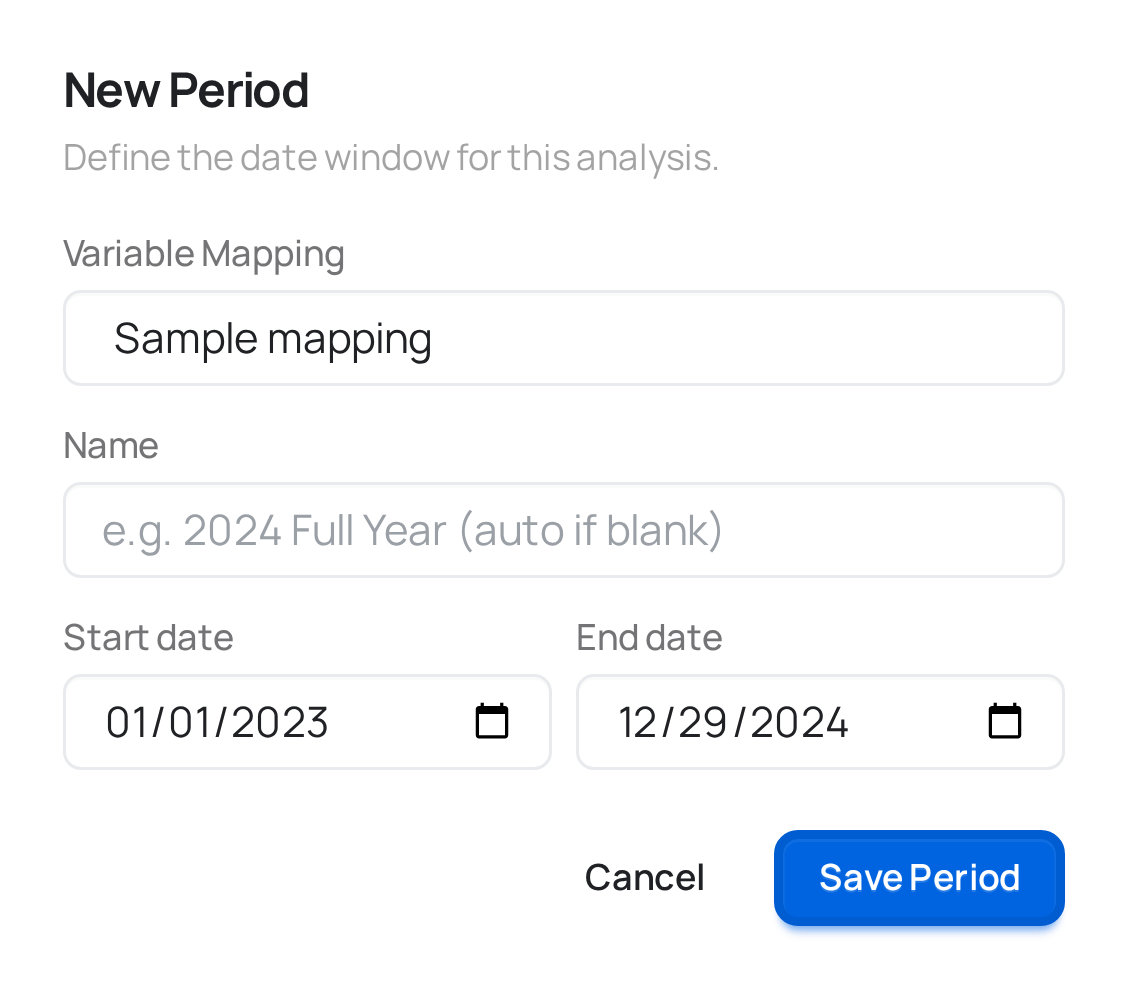
Fields
| Field | What it controls |
|---|---|
| Variable Mapping | Which Variables mapping this window applies to. If there's only one on the canvas, it's selected for you. |
| Name | Optional label — defaults to "Period" if left blank. Useful once a canvas has more than one period covering different windows (e.g. "Full history" vs. "Post-relaunch"). |
| Start date / End date | The window to train on. meryn pre-fills the full range of the chosen mapping's Date column; narrow it to exclude anything that would distort the fit — a launch spike, a stockout, a period before you started tracking a channel consistently. |
That's all there is to fill in — Period exists so the same Variables mapping can feed more than one date window without re-uploading or re-mapping anything.
Saving is where meryn checks the window itself, because the same file can be fine over its full history and broken over a slice: a series with sales in January and nothing after is constant from July on. Some findings reject the save — a window that leaves fewer than 24 periods, a column that never changes inside the window, a paid channel with no spend at all in it. Others save anyway but are worth reading — periods missing inside the range, two channels that move almost identically over the window, a channel that's zero in most of it.
Why "editing" a Period resets what's downstream
Changing the date range always means retraining anything connected to it, so there's no in-place edit. Clicking a configured Period gives you a confirm step that tells you how many models depend on it, then reopens the modal pre-filled with the current dates so you can adjust and resubmit — the canvas wiring itself doesn't change, only what's inside the box and everything that was trained from it.
What connects here
Upstream: Variables. Downstream: EDA, or a model node — Robyn, Meridian, or PyMC.